🎯 Made for UPSC · works for every serious student

Study smart.
Selection pakka.

Easy Study turns any book or PDF into notes, tests and revision. Slide your pen over a line and it's saved. Get meanings and AI explanations instantly. Practise PYQs, follow your timetable and get your Mains answers checked by AI.

One-time paymentNo subscriptionWorks offlineYour data stays on your PC
₹399 lifetime licence💳 UPI · Cards · Net banking⚡ Instant download🖥 Windows 10 & 11🔒 Secure payments by Razorpay
Features

Everything you need to crack it, in one app

No more switching between PDFs, notebooks, Google and test apps. Easy Study keeps your reading, notes, practice and revision in one calm place.

✍️

Notes in one swipe

Turn on the Note tool once. Every line you slide your pen or mouse over is saved as a note, with the page number.

🔎

Instant meaning & AI

Select a word for its meaning, or a sentence for a simple AI explanation, right on the page. No Google, no distractions.

📝

PYQ tests

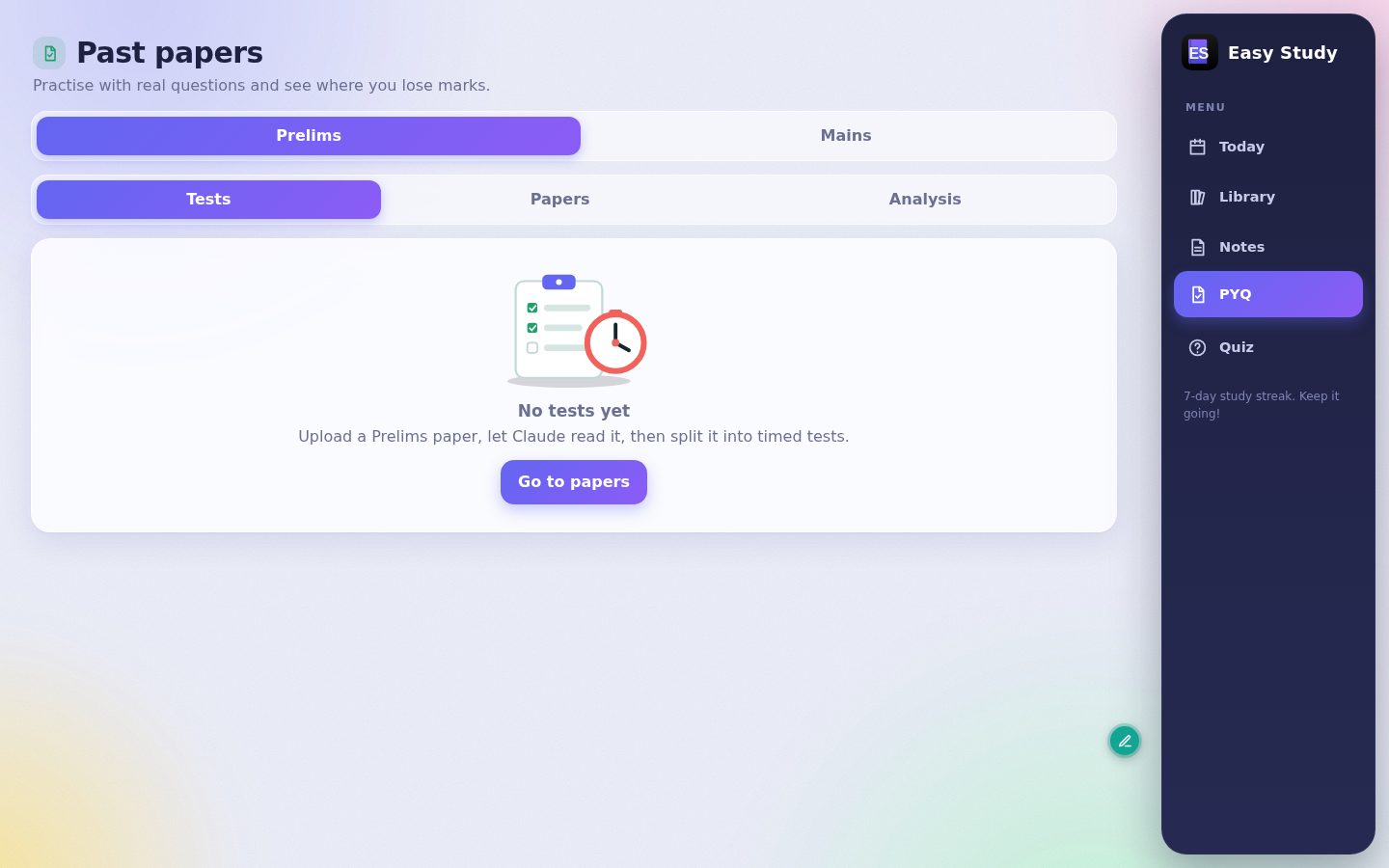
Upload previous year papers and take timed online tests with scores, accuracy and subject-wise analysis.

📅

Smart timetable

Plan your books week by week. The home screen tells you exactly what to read today and tracks your streak.

🧠

Daily Mains questions

Get 3 Mains questions every day from the subjects you studied, with marks and word limits.

UPSC SPECIAL
🏅

AI answer evaluation

Write your answer, upload it and get marks and feedback compared with toppers' answer copies you add.

UPSC SPECIAL
📷

Scanned books too

Built-in OCR reads scanned PDFs and photos, so even old printed books become searchable, notable text.

🖨️

Print & revise

Print your notes as a clean revision sheet. Weekly and monthly revision reminders keep everything fresh.

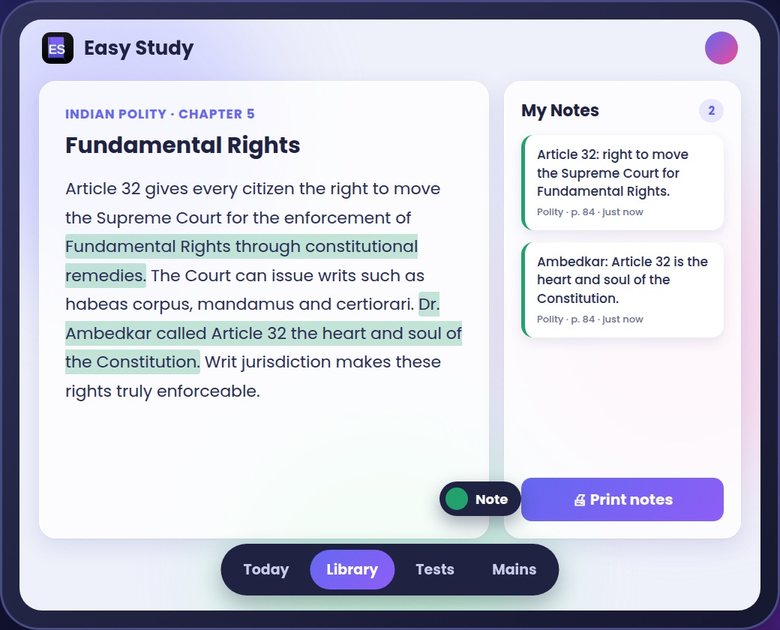
01

Your pen is now a note-maker

Pick Note from the small tool dot once. From then on, just slide over text and it lands in My Notes. It stays on until you change it.

  • Works with mouse, touchpad or stylus
  • Notes keep book name and page
  • One click to print a revision sheet
Notes saved by sliding the pen over text
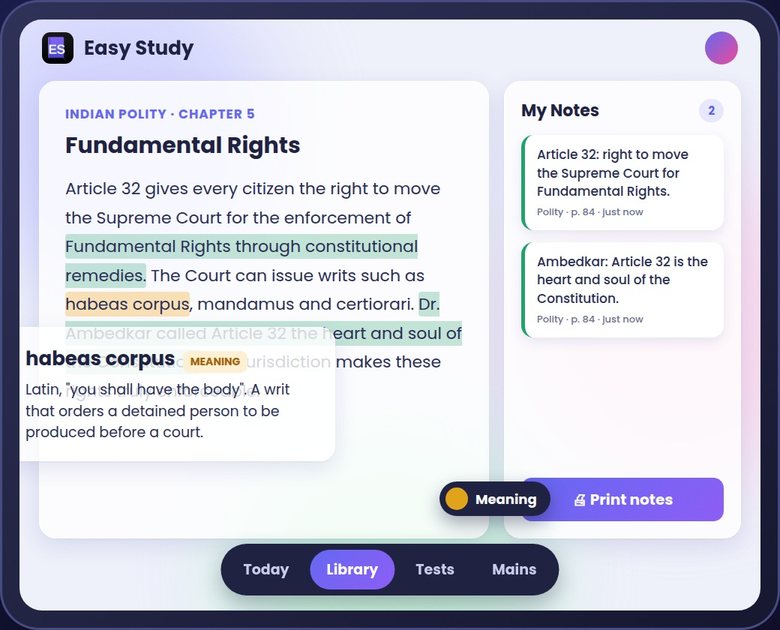
02

Meaning and explanation, instantly

Switch the tool to Meaning or Explain and every selection answers itself. Understand tough terms without leaving the page.

  • Dictionary meaning for words
  • Simple AI explanation for sentences
  • Zero tab-switching
Meaning popup for habeas corpus
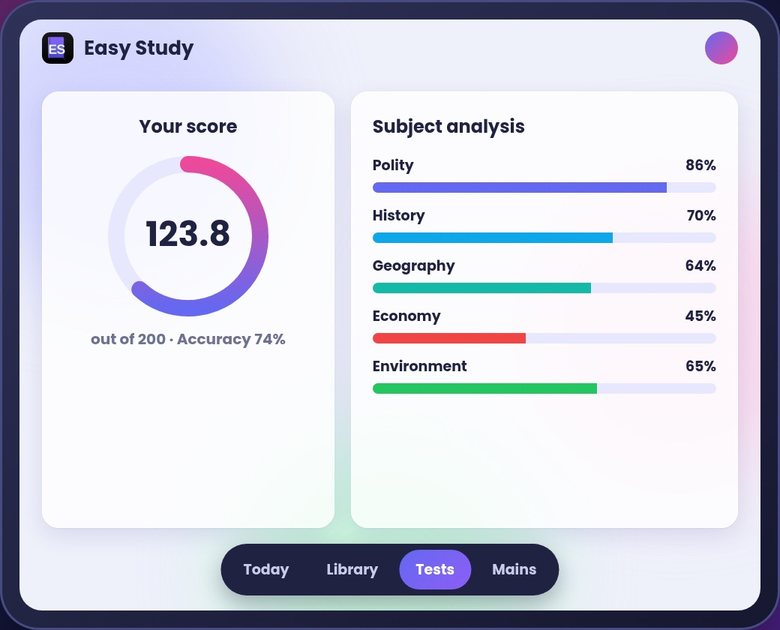
03

PYQ tests with real analysis

Upload a past paper and practise it as a timed test. See your score, accuracy and which subjects need work.

  • Timer just like the exam
  • Subject-wise strengths and weak areas
  • Retake and track improvement
PYQ test result with subject analysis
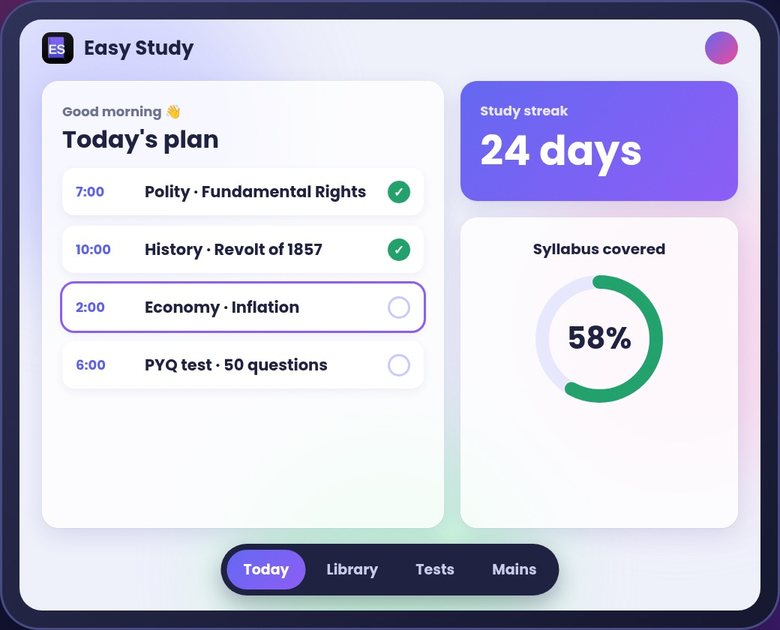
04

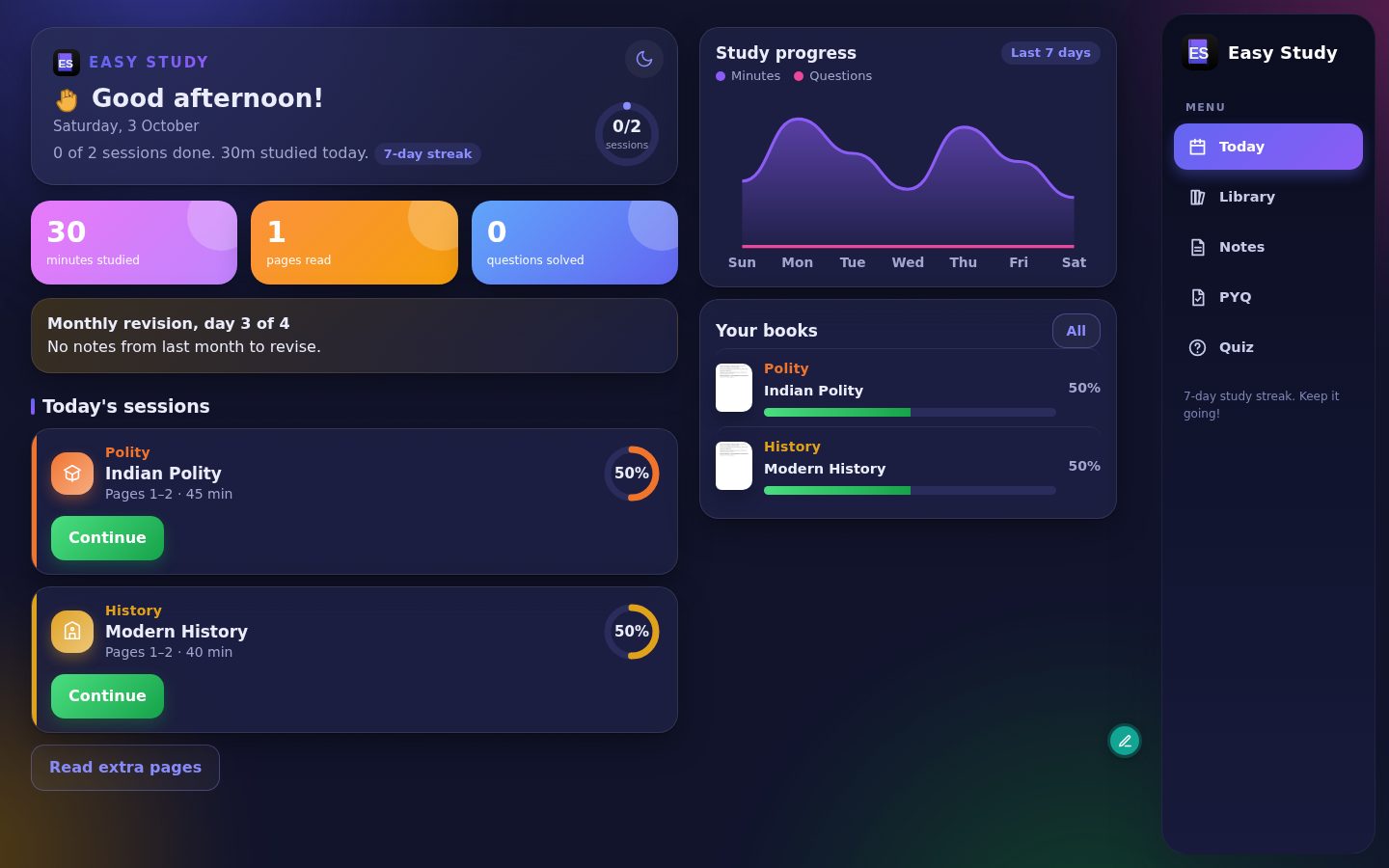
Know exactly what to study today

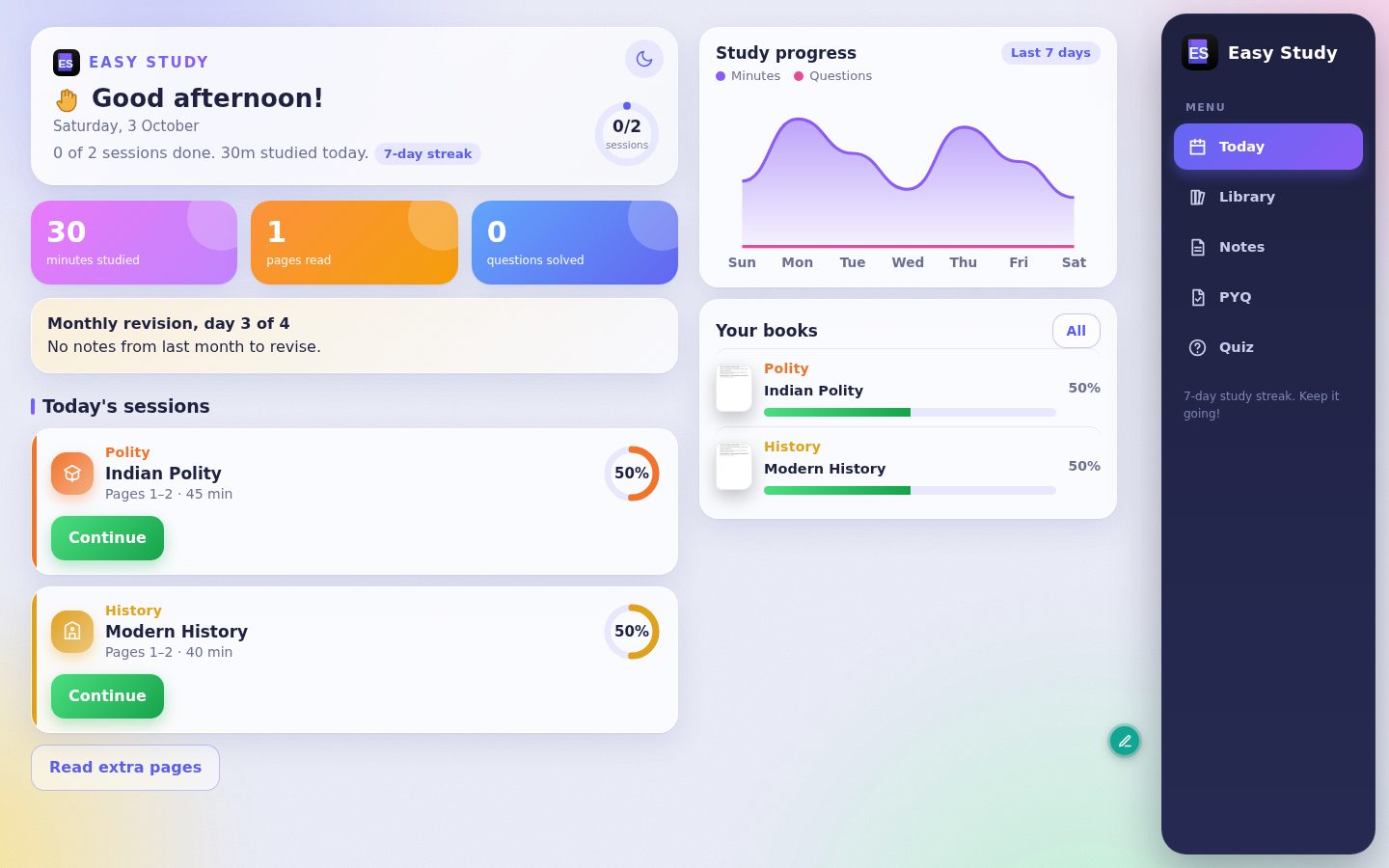
Your timetable lives on the home screen: today's books, pages and time, with ticks as you finish and a streak to keep you going.

  • Weekly plan per book
  • Progress and syllabus covered
  • Study streaks
Today's plan on the home screen
05

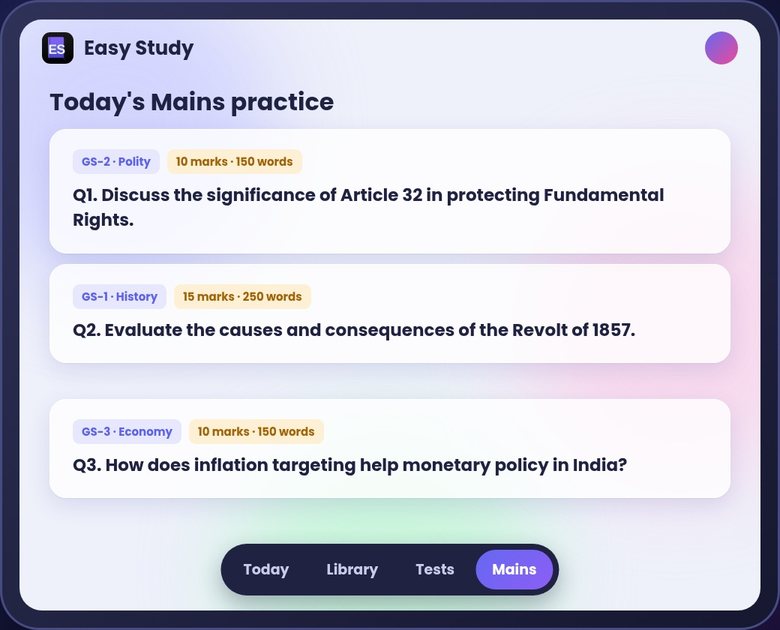
Mains practice, every single day

Three fresh Mains questions daily, picked from what you studied, so answer writing becomes a habit.

  • GS-wise questions
  • Marks and word limits shown
  • Builds a daily writing routine
Three daily Mains questions
06

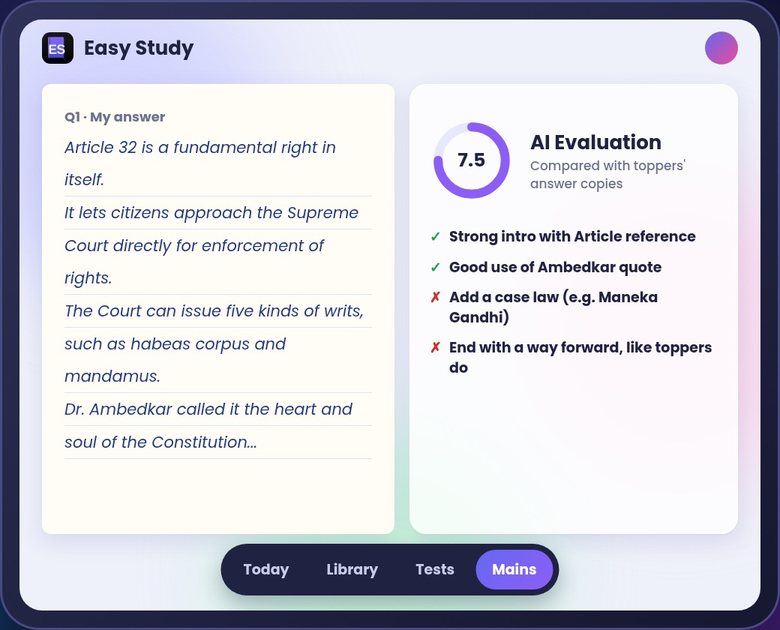
AI checks your answers like an examiner

Upload your handwritten answer. The AI scores it and tells you what toppers do better: structure, examples, case laws and conclusion.

  • Marks out of 10 or 15
  • Clear, point-wise feedback
  • Compared with toppers' copies you add
AI evaluation score and feedback
Screenshots

Clean, calm and made for long study hours

A soft, distraction-free design with light and dark modes.

Easy Study home dashboard
Today: sessions, streak and progress
Easy Study in dark mode
Dark mode for late-night study
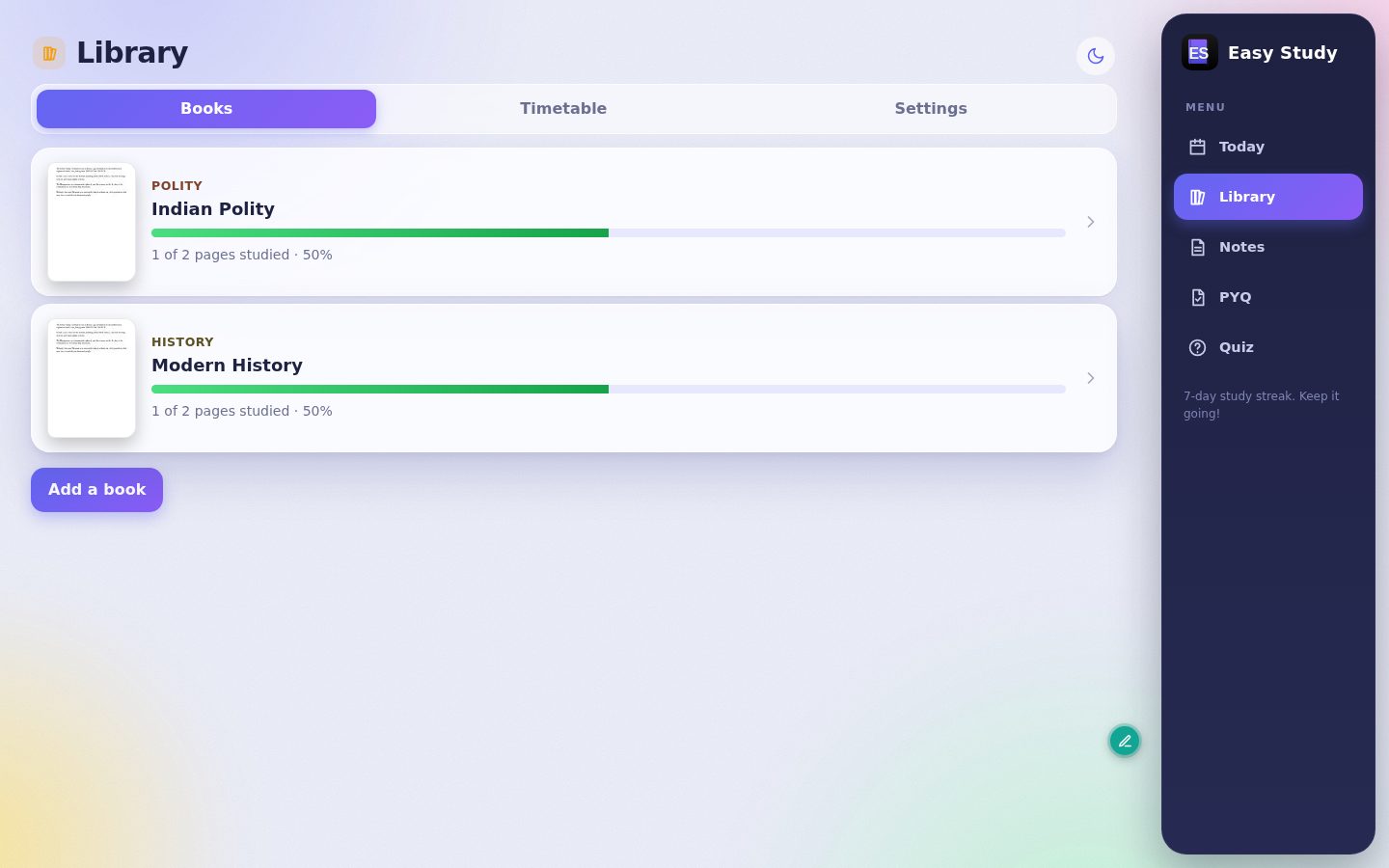
Library of books
Library: your books, timetable and settings
Past papers section
Past papers: Prelims and Mains practice
How it works

Up and running in 3 minutes

Pay ₹399

Click Download, enter your name, email and mobile, and pay by UPI, card or net banking.

Download & install

Your Licence ID and download button appear instantly. Install Easy Study on your PC.

Activate once

Open the app, enter your Licence ID. It activates and locks to your PC. After that it works offline.

Pricing

One price. Yours forever.

Less than the cost of one coaching notes set. No monthly fees, ever.

LIFETIME
Easy Study for Windows
₹399
One-time payment · 1 PC licence
  • All features: notes, AI, PYQ tests, timetable, Mains practice, AI evaluation
  • Free updates
  • Works offline after activation
  • 1 free PC change every 12 months
  • Email and WhatsApp support
⬇ Buy & download · ₹399
UPIGoogle PayPhonePePaytmCredit cardDebit cardNet banking

System requirements

Windows
Windows 10 or 11 (64-bit)
Memory
4 GB RAM or more
Space
500 MB free + your books
Internet
For purchase, activation and AI features
Android
Coming soon on Google Play

AI features use your own free Google Gemini key, which takes about 2 minutes to set up. A step-by-step guide is inside the app.

FAQ

Questions, answered

Is this a subscription?

No. You pay ₹399 once and use Easy Study for as long as you like, with free updates.

Can I use one licence on two PCs?

No. Each licence activates on one PC. Reinstalling on the same PC is always fine. If you buy a new PC or replace your hard disk, you can move the licence yourself once every 12 months. For anything else, contact us.

I paid but closed the page. How do I get my licence?

Go to Find my licence and enter the payment ID from your Razorpay receipt email or SMS (it starts with pay_) and the email you used. Your Licence ID and download link will appear.

Do I need internet all the time?

Only to buy, download and activate. Reading, notes, timetable and tests work offline. AI features (explanation, test creation, answer evaluation) need internet.

Do the AI features cost extra?

Easy Study uses your own free Google Gemini key, so there's nothing more to pay to OptiWorks. The app shows you how to get the key in about 2 minutes.

Can I get a refund?

Yes, if you haven't activated the licence yet, or if it doesn't work on your PC and our support can't fix it, within 7 days of purchase. See the refund policy.

Is there an Android or Mac version?

Android is coming soon on Google Play. A Mac version isn't planned yet.

Windows says "Windows protected your PC". Is it safe?

Yes. Windows shows this for new apps that are not yet widely downloaded. Click More info, then Run anyway. Always download Easy Study only from this website.

Start studying smarter today

Make notes in seconds, practise every day and revise with confidence.

⬇ Download Easy Study · ₹399